I can't pick a folder on Android
If, when trying to pick a folder to store PSP data in, you get something that looks like this:
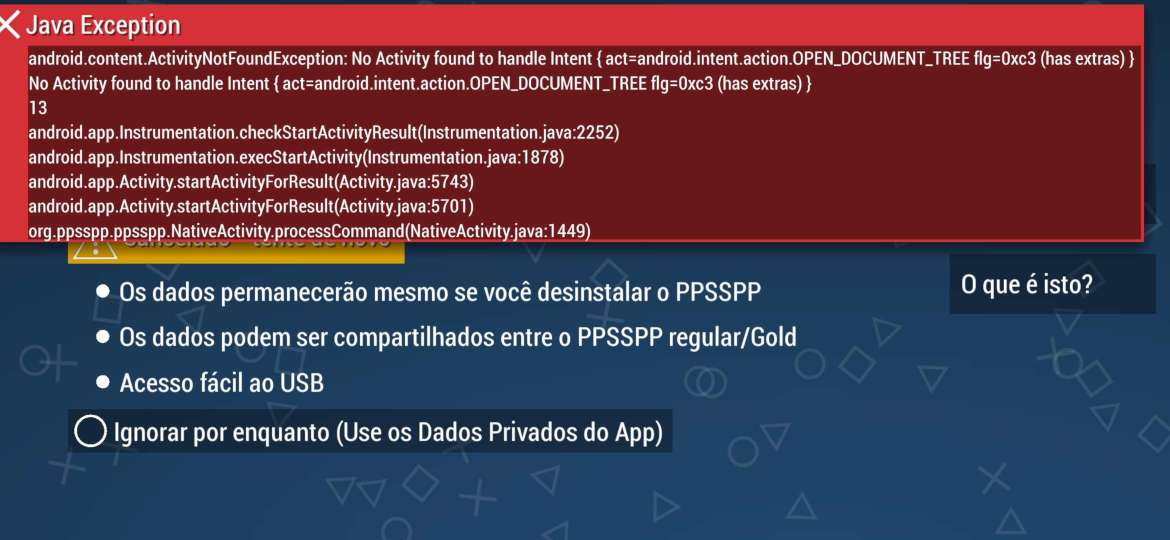
Then, either your device is missing a folder picker entirely (which is unlikely if it's a phone, but likely on Android TV), or it's provided by a default app that has been disabled somehow.
Things to try
Android TV
Many Android TV and Google TV devices ship without the "DocumentsUI" framework required for picking folders. You have two main options:
-
Install a compatible File Manager: You can often fix this by installing a third-party file manager that supports system intents from the Google Play Store. It's recommended to try AnExplorer or X-plore File Manager, as they are specifically designed to work with Android TV remotes and can often "fill the gap" left by the missing system picker.
-
Use the Legacy Build: If you know how to install APKs, you can work around the problem entirely using the PPSSPP Legacy build. This is useful on TVs and older phones as I/O performs slightly better, though you will lose out on Google Play auto-updates.
Android phones and other devices
The problem seems to most often be that the "Files" app has been uninstalled somehow. This seems to be possible on some phones, although it shouldn't be allowed. One possible cause is using "de-bloating" apps, which work on modified Android OS versions.
Things to try
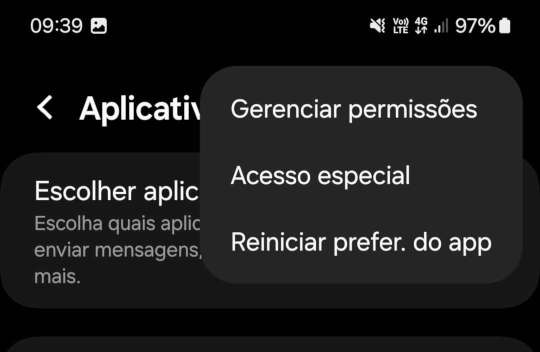
- Reset App Preferences: Go to Settings > Apps > See all apps, tap the three dots (menu) in the top right, and select "Reset app preferences." This can re-enable the system "Files" app if it was stuck in a disabled state.
- Brevent: One user reported success using Brevent, which can help you reinstall or re-enable the "Files" ("Arquivos") app if it's missing.
- Manual Re-enable: Look for an app simply named "Files" (with a blue folder icon) in your App settings. If it is marked as disabled, try to "Enable" it.
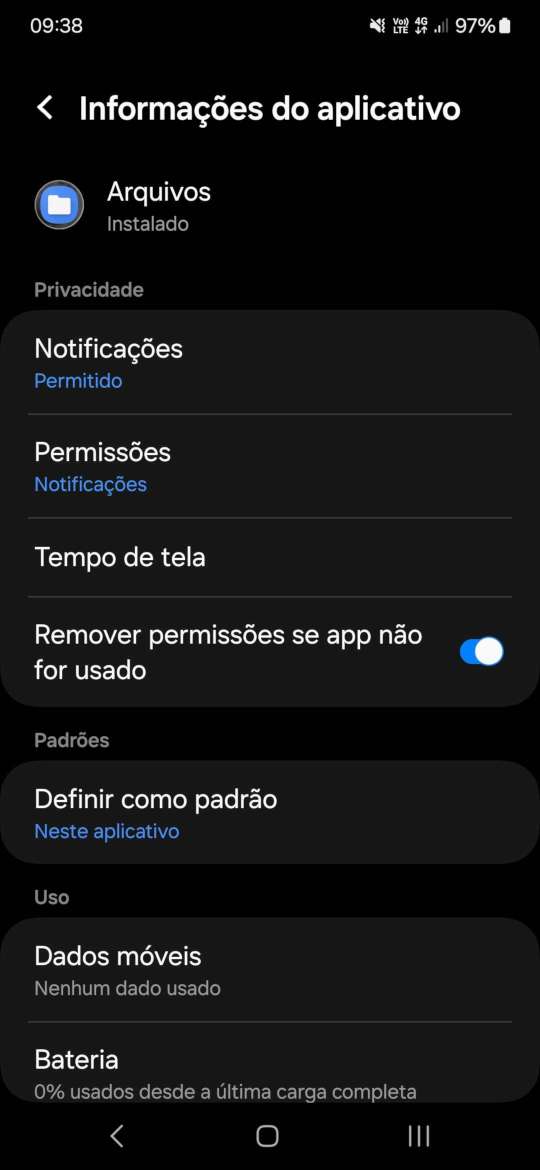
Another user sent in these screenshots (in Portuguese), showing how he managed to enable it again:
It was the files app that got disabled. But for some reason,
differently of other disabled apps that could be reactivated, I
couldn't do anything.
Reinstalling the same app from play store did not solved it .
What worked: reset app preferences.
I only found it a little bit strange cause that app were disable
for a long time, and yet the problem happen just now, anyway, that
solved the problem.
As a last resort, see the Android TV workaround above regarding the Legacy build.